
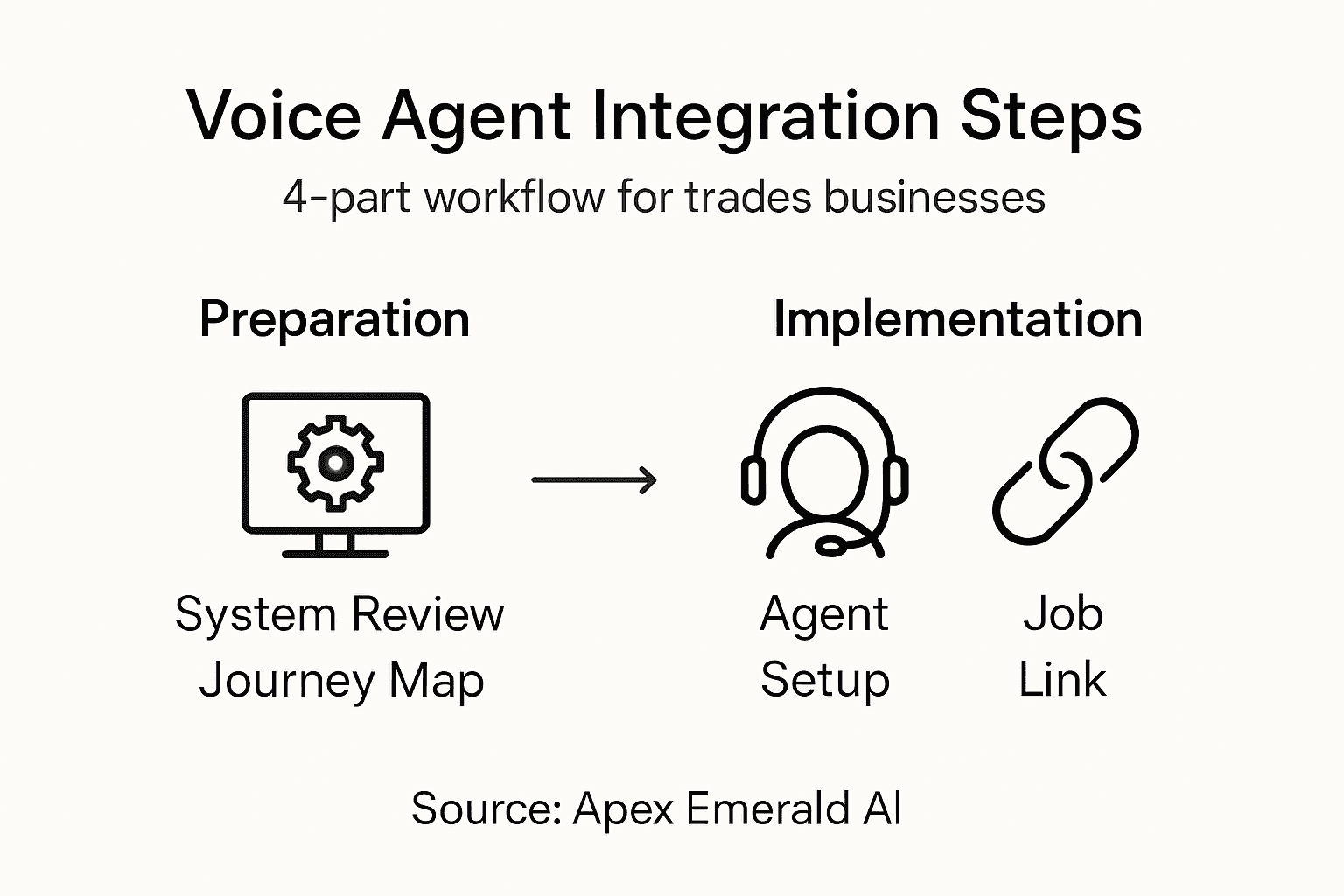
Missed calls and lost leads can drain both revenue and patience for trade business owners in Ireland. Setting up an AI voice agent starts with understanding how data moves through every corner of your plumbing, HVAC, or electrical operation. By focusing on integration gaps, data silos, and security compliance, you can pinpoint the real bottlenecks before introducing automation. This guide shows practical steps to assess your systems, configure your agent, and connect job management tools for smoother, faster customer handling.
Table of Contents
- Step 1: Assess existing systems and requirements
- Step 2: Configure AI voice agent platform
- Step 3: Connect job management integrations
- Step 4: Test and validate workflow operation
Quick Summary
| Key Insight | Explanation |
|---|---|
| 1. Assess Current Systems | Map existing software, hardware, and workflows to identify gaps and needs. |
| 2. Configure Voice Agent | Build the agent’s personality and define its operational parameters effectively. |
| 3. Establish Integrations | Connect the agent to job management systems for real-time booking and data access. |
| 4. Conduct Rigorous Testing | Perform scripted tests with varied scenarios to ensure accurate performance. |
| 5. Document Everything | Keep detailed records of systems and integration steps for troubleshooting. |
Step 1: Assess existing systems and requirements
Before you deploy an AI voice agent, you need to understand what you're working with. This means taking stock of your current software, hardware, workflows, and the gaps that exist between where you are now and where you need to be.
Start by mapping your existing technology stack. Write down every piece of software your team uses: your job management system, accounting software, CRM, scheduling tools, and any other platforms that touch customer interactions or operational data. Note which ones talk to each other and which ones sit in isolation.
Interview your team members directly. Your plumbers, electricians, and HVAC technicians are using these systems every day. Ask them:
- What slows them down most during customer calls?
- Where does information get lost or duplicated?
- Which tasks feel repetitive and could be automated?
- What data would help them work faster?
Next, document your current customer journey. When someone rings your number, what happens? Do they reach voicemail? A receptionist? How long until they get a callback? Where do you lose leads because you can't answer immediately?
Establishing frameworks for AI systems requires understanding how data flows through your business and identifying where authentication and security matter most. You need to define which systems your voice agent must connect to and what data it needs to access.
Create a simple spreadsheet documenting:
- Current software platforms
- How many staff members use each tool
- Integration points (where data moves between systems)
- Security requirements and compliance needs
- Peak call volumes and current response times
Look at your hardware too. What telephone system do you have? Is it cloud-based or legacy? Can it integrate with modern APIs? Does your internet bandwidth support simultaneous voice calls from the agent plus normal operations?
Identify your biggest pain point. Is it missed calls? Manual data entry? Appointment scheduling? Qualification of leads? The voice agent solves specific problems, so pinpoint exactly which one costs you the most revenue or staff time.
Spend time understanding your current workflows before choosing an AI solution. A mismatch between your needs and the tool's capabilities wastes money and frustrates your team.
Pro tip: Record a week of incoming calls and note which ones the agent could handle (simple inquiries, booking requests, basic qualification questions). This gives you concrete evidence of potential automation and helps you set realistic expectations for the AI voice agent's role in your business.
Here's a summary of challenges you may encounter and the potential business impact when deploying an AI voice agent:
| Challenge Area | Description | Potential Business Impact |
|---|---|---|
| Integration Gaps | Existing systems lack connectivity | Manual workarounds, lost efficiency |
| Data Silos | Information stored in disconnected tools | Incomplete customer view, mistakes |
| Security Compliance | Sensitive data needs strict controls | Risk of breaches, regulatory fines |
| Hardware Limitations | Legacy phones, low bandwidth, old devices | Poor call quality, failed automations |
| User Resistance | Staff hesitate to trust new systems | Slow adoption, persistence of old habits |
Step 2: Configure AI voice agent platform
Now that you understand your systems and needs, it's time to set up the voice agent itself. Configuration means building the brain of your agent, connecting it to your tools, and teaching it how to handle calls in your business.
Start by defining your agent's core voice personality. How should it sound? Professional but friendly? Quick and efficient? Your agent will be the first impression customers get, so think about your brand voice. Will it introduce itself with your business name? How should it handle common greetings?

Next, you'll configure the language model and intent recognition. This is where you tell the agent what it should listen for. When a customer says "I need my boiler fixed," the agent needs to understand that's a plumbing or heating request. When they say "Can you fit me in tomorrow?" it recognises a booking intent.
Set up your tool integrations. Configuring AI agents requires designing the architecture and connecting speech-to-text, text-to-speech, and the systems your team actually uses. Link the agent to your job management platform so it can check technician availability. Connect it to your calendar so it books appointments directly. Integrate it with your CRM so customer history appears instantly.
You'll need to define operational parameters:
- Maximum call length before transferring to a human
- Which information requires verification or authentication
- How to handle urgent situations or complaints
- Escalation triggers that route to your team
- Business hours and after-hours responses
Configure your prompt engineering. This means writing clear instructions for how the agent should behave in different scenarios. Should it ask for a phone number? A property address? A description of the problem? These instructions shape every conversation.
Test the agent with sample calls. Have team members call in and ask typical customer questions. Does it understand Irish accents and regional terminology? Does it get the information right? Adjust settings based on what you find.
Configuration isn't set-and-forget. You'll refine the agent's behaviour over time as you see what works and what confuses customers.
Pro tip: Start with a narrow scope for what the agent handles (just booking appointments, for example), test it thoroughly for a week, then gradually expand its responsibilities as you build confidence in its accuracy and your team's trust in the system.
Step 3: Connect job management integrations
Your voice agent needs to talk to your job management system. Without this connection, the agent can answer calls but cannot actually book jobs, check availability, or update your team with new work.
Start by identifying your job management platform. Are you using ServiceTitan, Housecall Pro, Jobber, or another system? Different platforms have different integration methods. Some offer pre-built connections, while others require API access. Check your platform's documentation or contact support to see what's available.
Understand what data the agent needs to access. Your voice agent should be able to:
- Check technician availability for specific dates
- View customer history and previous jobs
- Access pricing information for common services
- Create new job records from call information
- Update job status when technicians complete work
Set up API credentials securely. You'll need special access keys that allow the voice agent to communicate with your job management system. Never share these credentials publicly or hardcode them into unsecured systems. Use environment variables or secure credential management tools.
Integrating AI agents with job management systems enables automation of scheduling and real-time updates across your entire operation. The agent can now instantly book appointments instead of transferring calls to a receptionist.
Test the integration thoroughly before going live. Create a test job in your system and have the agent retrieve it. Book a test appointment and verify it appears correctly on your calendar. Update a test job status and confirm the change syncs properly.
Document the integration steps clearly. Write down exactly how the connection works, which data flows where, and what to do if something breaks. Your team needs to understand this so they can troubleshoot issues when they occur.
Configure fallback procedures in case the integration fails temporarily. What happens if the agent cannot reach your job management system? It should have a graceful response and offer to take a message or transfer the caller to a human.
A broken integration can damage customer experience far more than having no automation at all. Test extensively before launch.
Pro tip: Map out your data flow on paper first (which fields go where, what calculations happen, how updates cascade). This prevents costly mistakes and makes troubleshooting much faster when issues arise.
Step 4: Test and validate workflow operation
Before your voice agent goes live to real customers, you need to test it thoroughly. This is where you catch problems, understand quirks, and build confidence that it will perform reliably under real-world conditions.
Start with scripted test calls. Create realistic scenarios based on the calls your business receives most often. A plumber might test "I have a burst pipe," an electrician might test "My circuit breaker keeps tripping," and an HVAC technician might test "My heating isn't working."
Run both simple and complex scenarios:
- Single-intent calls (booking an appointment only)
- Multi-step conversations (describing a problem, providing address, scheduling a visit)
- Edge cases (unclear accents, background noise, incomplete information)
- Error handling (nonsensical requests, hostile callers, requests outside scope)
Involve your team in testing. Have plumbers, electricians, and office staff make test calls. They'll catch things you miss because they speak like actual customers, use slang, and know what confuses people in real conversations.
Document every issue you find. Does the agent struggle with Irish place names? Does it misunderstand certain accents? Does it book appointments at times technicians aren't available? Write these down systematically.
Rigorous validation ensures AI voice agents respond appropriately to varied inputs and handle exceptions through both automated testing and manual assessment. Test how the agent handles unexpected situations: what if a customer gets angry? What if they ask for something the agent cannot do?
Check your integration connections work correctly under load. If two customers call simultaneously, does the system handle it? Does job booking still work when your internet slows down? Does the agent gracefully fail if your job management system is temporarily offline?
Measure accuracy and performance:
- Booking accuracy (are appointments scheduled for the right times?)
- Information capture (does the agent collect all necessary details?)
- First-call resolution (can the agent handle the entire conversation?)
- Customer satisfaction (does the agent feel helpful, not frustrating?)
Run your tests across different times of day and days of the week. Customer behaviour varies. A Monday morning might bring different call types than Friday evening.
Testing now prevents expensive problems later. A single mistake deployed to production can damage your reputation with dozens of customers.
Pro tip: Record test calls (with permission) and listen back to them critically. You'll spot awkward pauses, confusing prompts, and missing information that feel fine in the moment but become obvious on playback.
This table contrasts manual call handling versus AI voice agent automation in a field service business:
| Aspect | Manual Calls | AI Voice Agent Automation |
|---|---|---|
| Response Speed | Delayed or variable | Immediate, 24/7 availability |
| Data Entry | Prone to errors | Consistent, structured capture |
| Lead Qualification | Depends on staff | Standardised, always applied |
| Appointment Booking | Office-hours only | Real-time, even outside office hours |
| Cost per Interaction | Staff-dependent cost | Scales with technology investment |
Transform Your Trades Business with Seamless AI Voice Agent Integration
The article highlights common challenges trades businesses face when deploying AI voice agents such as integration gaps, data silos, and hardware limitations. Understanding these pain points is crucial to avoid costly mistakes and ensure your investment solves real operational bottlenecks like missed calls, manual booking, and inefficient workflows. By focusing on configuring and connecting your AI voice agent to job management systems, you can fully automate lead qualification, appointment scheduling, and customer interactions while maintaining security and reliability.
Apex Emerald AI specialises in delivering tailor-made AI infrastructure and automation solutions designed specifically for plumbing, HVAC, and electrical sectors in Ireland. Our platform guarantees measurable ROI within 90 days by simplifying voice agent integration workflows and ensuring seamless job management system connections. With a secure, enterprise-grade environment, we help trades businesses overcome technology barriers and unlock continuous operational efficiency gains.
Ready to stop losing customers due to missed calls and manual processes? Visit Apex Emerald AI now to explore our comprehensive AI voice agent solutions and start accelerating your business growth with cutting-edge automation proven to boost conversions and revenue.
Frequently Asked Questions
How do I assess my existing systems before integrating a voice agent?
Before integrating a voice agent, list all the software and hardware your team currently uses. Note how these systems interact and identify any gaps, so you can determine the specific requirements for the voice agent's functionality.
What are the key considerations for configuring my voice agent's personality?
Define your voice agent's personality by determining the tone and voice that aligns with your brand, such as being professional yet friendly. Consider how it will introduce itself and respond to common customer inquiries to create a consistent and positive customer experience.
What steps should I follow to successfully connect my job management system to the voice agent?
To connect your job management system, start by identifying your specific platform and check its integration capabilities. Set up secure API credentials to enable communication between the voice agent and the job management system, ensuring you can manage appointments and customer data effectively.
How can I effectively test my voice agent before launching it?
Conduct scripted test calls that mimic real customer interactions to validate your voice agent's performance. Engage team members in the testing process to identify issues related to accents, terminologies, and customer responses, ensuring thorough validation before going live.
What are common challenges faced during voice agent integration and how can I mitigate them?
Common challenges include integration gaps, security compliance, and user resistance. Address these by mapping out your data flow, establishing strict access controls, and providing comprehensive training to ensure your team is confident in using the new technology.